How to get the ultimate free music setup - ok maybe it’s not the ultimate setup, but it’s still pretty cool
Features: Continuous free, legal and unlimited, personally recommended songs that support the artist. - sorry the ended up being a mouthfull
The System
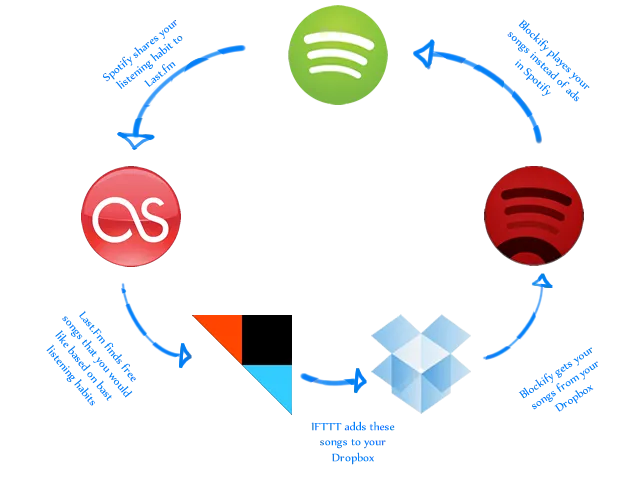
- Get an account for each service / download the software
- Link them all together
- Spotify to Last.fm
- open up Spotify preferences
- tick scrobble to Last.Fm and enter your Last.Fm details
- Last.fm to IFTTT to Dropbox
- Dropbox to Blockify to Spotify
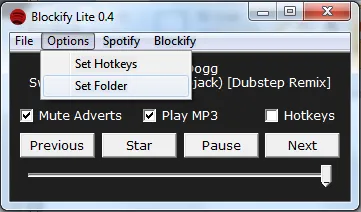
- Open up Blockify then choose your Dropbox music folder by going Options -> Set Folder
- Spotify to Last.fm
Extra points
Sync your new Dropbox music folder to your mobile device using an app like MusicDropNPLay for Android or Tunebox for iOS.